

Dig up the cheats you want.
CheeseDigg finds the games you already own, gives you tested trainers with an in-game overlay, and builds cheats for many more games on its own — Unity, Unreal, Godot, GameMaker, Lua, RPG Maker and Ren’Py.

Tested trainers
Switch cheats on and off, set values, save presets and hotkeys.

Build Cheats
Point CheeseDigg at a game and it researches and builds a trainer for you.

In-game overlay
Press ` in game. Arrange it your way in Overlay Studio.

CheezPilot AI
Ask about any game, improve builds with AI, get one-click actions.
From your library to cheats in three steps
No hunting for sketchy downloads. CheeseDigg works with the games that are already on your PC.
Open your library
CheeseDigg reads your installed games from Steam, Epic, GOG, Xbox and seven more stores — or any folder you add.
Pick a trainer or build one
Games from the CheeseDigg catalog come with tested cheats. For others, press Build Cheats and CheeseDigg makes them.
Play with the overlay
Hit Play, press the backtick key in game and switch cheats on. Turn them off and the original values come back.
A trainer for games nobody made one for
CheeseDigg looks inside the game you choose, finds values like health, money, energy and speed, then checks each cheat in your game before you use it.
- Seven engine families — Unity (Mono & IL2CPP), Unreal, Godot, GameMaker, Lua (LÖVE/LuaJIT), RPG Maker MV/MZ and Ren’Py.
- Check in game tests every cheat live and hides the ones that don’t work.
- Add your own cheats from the values it found, and rename anything.
- Improve with AI finds extra cheats for harder games.
Your cheats, right on top of the game
The overlay starts tucked away at the edge of the game window and opens with the backtick key. It hides when you switch to another app.
- Overlay Studio — move, resize and restyle the real overlay, saved per game.
- Optional widgets — clock, session timer, quick notes, hotkey guide, saved goals, break reminder and more.
- Active only filter to see just what’s switched on.
More than a trainer
CheeseDigg is a home for the way you play single-player games.

Game library
All your games from 10 stores in one place, with covers, filters and favorites.

Save Vault
Back up your saves before you experiment and restore them in one click.

Playthrough Journal
Notes and goals per game, shown on Home and in the overlay.

Presets & hotkeys
Save sets of cheats and bind keys, per game.

Community
Share the cheats you built and use builds from other players.

Signed updates
New games and fixes arrive as signed catalog updates the app checks itself.
Trainers made and tested by CheeseDigg
These games have official trainers. Every cheat shown to players was tested on the game build it supports.

Palworld
Steam

Disney Dreamlight Valley
Steam
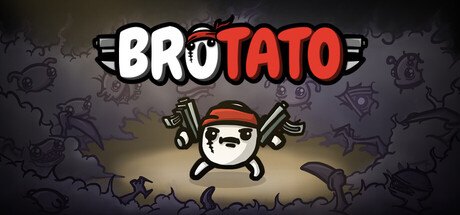
Brotato
Steam
Ask the robot mouse
CheezPilot is the AI helper on the Companion page. Ask about any game — it knows your library and can open the right tool for you with one click.
Example conversation. Answers come from Claude by Anthropic.
Offline and single-player only. CheeseDigg is not for online or multiplayer games and does not support games with anti-cheat. Online-only games are blocked from Build Cheats. Read about safe use.
Ready to dig in?
Start free with the official trainers. Upgrade when you want to build your own.